
Overview
In a standard development model, we create multiple branches to maintain various versions of the source code. Branches may be broadly classified into categories such as feature, release, development branches, and many more.
With all these classifications in place, how do we keep track of the code quality across branches?
With our latest Mulesoft code review tool IZ Analyzer Branch & Pull Request analysis available as an Open source plug-in, you can ensure that you maintain code quality consistency all the way down to the branch level in your Mule projects.
Prerequisites
This blog post assumes that the readers are aware of the following prerequisites –
- Analyzing a project using IZ Analyzer. To know more about how to scan a project refer Source Code Analysis.
- Source Code Management using GIT SCM tool.
- Creating Branches and Pull Requests in GIT.
Setting up Branch analysis
A branch is created in IZ Analyzer when the sonar.branch.name parameter is passed during analysis. The value passed for sonar.branch.name will be visible in UI.
Analysing the master branch
NOTE:- We will be using a Mule project purely for demonstration purposes. Ideally Branches and Pull Requests can be analyzed for any type of project (Eg: Java, HTML etc).
Let us start with a sample Mule project called analyzer-orders-sapi and GIT as SCM tool.
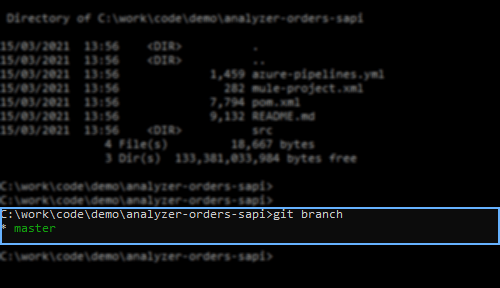
Let’s analyse the project from master branch using the following command
mvn sonar:sonar -Dsonar.projectKey=analyzer-orders-sapi -Dsonar.organization=<organization key> -Dsonar.host.url=https://analyzer.integralzone.com -Dsonar.login=<access token> -Dsonar.sources=. -Dsonar.branch.name=masterNOTE:- Notice the sonar.branch.name analysis parameter included in the command.
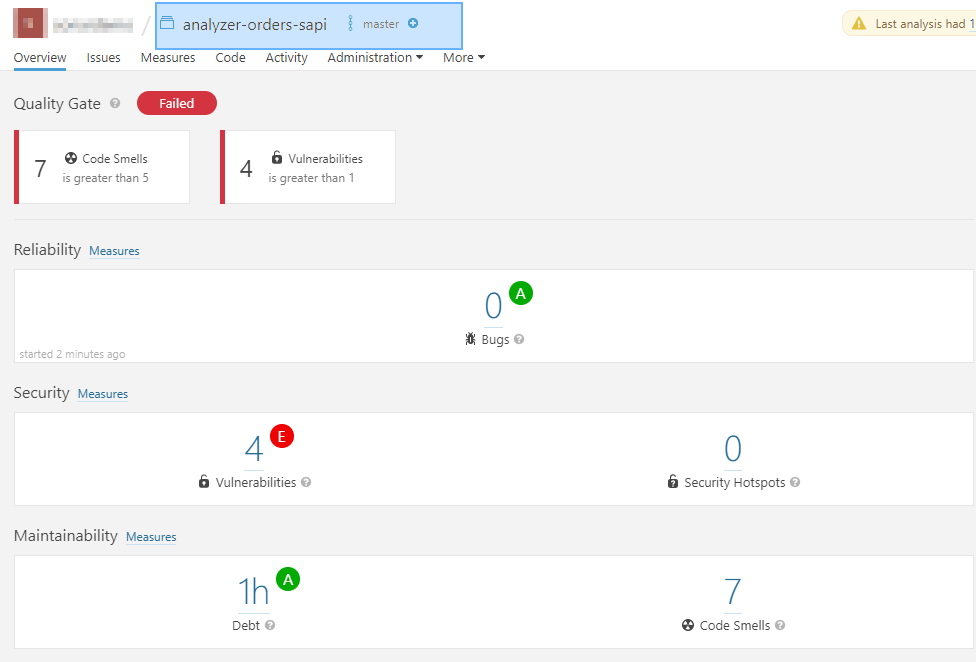
As we see in the above image, issues are now categorized under master branch. Let’s create a GIT Branch and see how to analyse a Branch in the next step.
Analyzing non master Branches
Let’s create a new branch called “create_order_issue_fix” and switch to the new branch.

We will add few additional lines of code in this new branch and analyze source code using the same command, which was used earlier to analyze the master branch. User will have to change the value of sonar.branch.name to create_order_issue_fix
mvn sonar:sonar -Dsonar.projectKey=analyzer-orders-sapi -Dsonar.organization=<organization key> -Dsonar.host.url=https://analyzer.integralzone.com -Dsonar.login=<access token> -Dsonar.sources=. -Dsonar.branch.name=create_order_issue_fixOnce the analysis is complete, we should be able to see the new branch under the Branches and Pull Requests dropdown menu of your project as shown below.
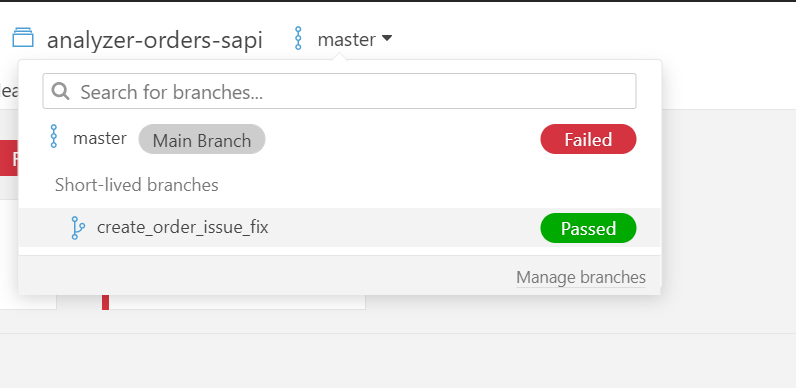
Branch level issues will be displayed once we select the appropriate branch. Issues displayed at the branch level will be the new set of issues introduced in the branch when compared to the master branch.

Analysing Pull Requests
Pull Request analysis shows your Pull Request’s Quality Gate and Analysis in the IZ Analyzer interface. This analysis shows new issues introduced by the Pull Request before merging with the target branch
Let’s create a Pull Request with create_order_issue_fix as source branch and master as target branch. We will be needing the Pull Request’s ID during the analysis.
Note: Use your SCM providers Web UI to create the Pull Request
Use the following command to analyze the created Pull Request.
vn sonar:sonar -Dsonar.projectKey=analyzer-orders-sapi -Dsonar.organization=<organization key> -Dsonar.host.url=https://analyzer.integralzone.com -Dsonar.login=<access token> -Dsonar.sources=. -Dsonar.pullrequest.key=101 -Dsonar.pullrequest.branch=create_order_issue_fix -Dsonar.pullrequest.base=masterWe have added the following new parameters to analyze the Pull Request.
| Parameter Name | Description |
sonar.pullrequest.key | Unique identifier of your Pull Request. Must correspond to the key of the Pull Request in your SCM. |
sonar.pullrequest.branch | The name of the branch that contains the changes to be merged. |
sonar.pullrequest.base | The branch into which the Pull Request will be merged. |
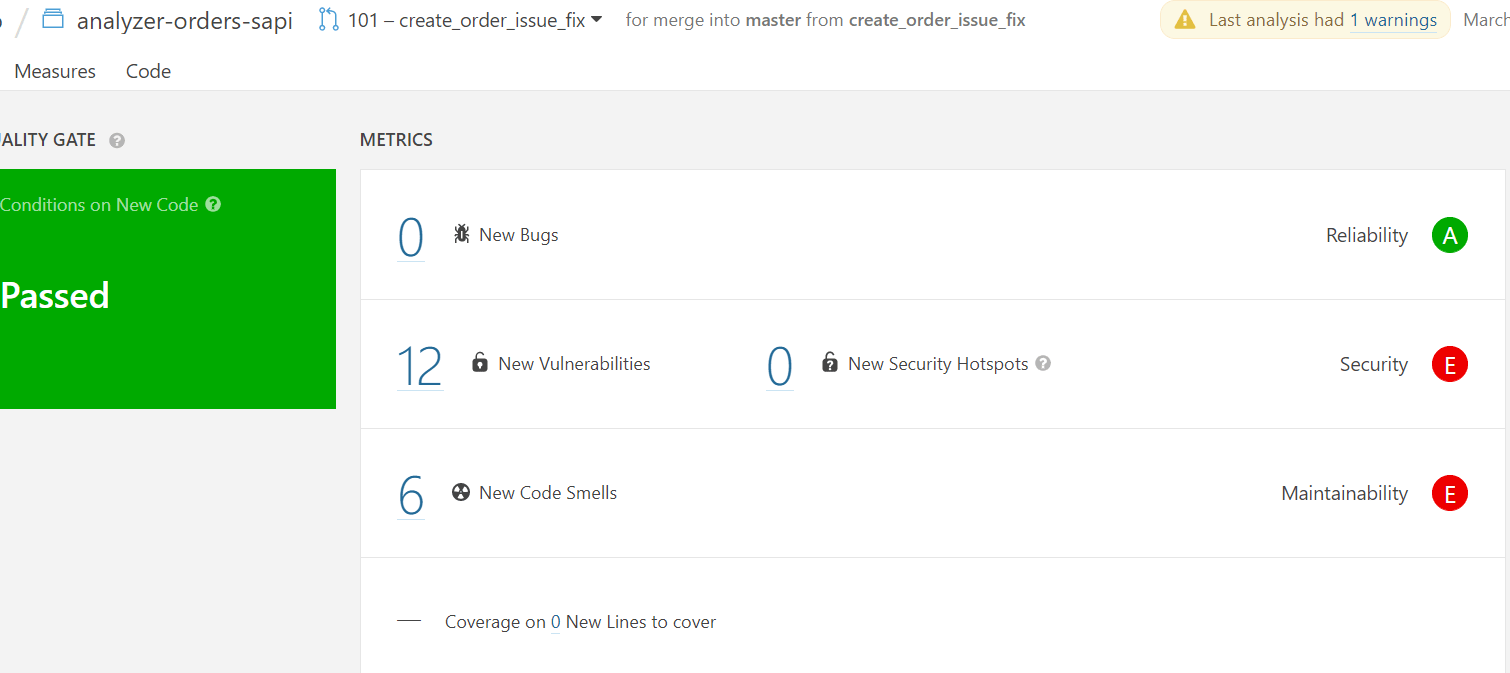
Once the analysis is complete we should be able to see the Pull Request under Branches and Pull Requests dropdown menu of your project as shown below.
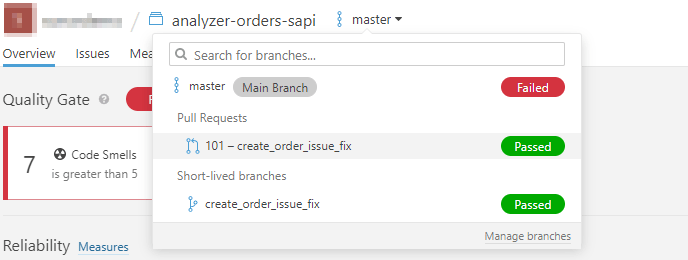
Issues at Pull Request level will be displayed once we select the appropriate branch. Issues displayed at branch level will be the new set of issues introduced in the Pull Request, when compared to the master branch.
End Note
Hope you found this article interesting. Do drop us a comment below with your inputs, views, and opinions regarding uploading Mule coverage report using IZ Analyzer.
Try IZ Analyzer for Free
Try one of the most powerful code analysis and review products in the Mulesoft ecosystem for free.
Sign up now for a free trial below:
https://analyzer.integralzone.com/try
Want us to give you and your team an exclusive demo? Book a slot below:


