
In an API and microservices world, the quality of the deliverable becomes paramount – since a weak link can break the whole chain.
In the previous blog posts, we had seen how Mulesoft code implementations could be quality tested in an automated manner with IZ Analyzer.
Now with API Analyzer plugin, APIs can be quality tested in an automated manner. Make sure that only the quality integration without security issues/vulnerability will make it through the quality gate. API Analyzer plugin supports scanning multiple APIs within the same project. Supported versions include –
- RAML 0.8
- RAML 1.0
- OAS / Swagger 2.0
- OAS 3.0
Scanning using Anypoint Studio plugin
Prerequisite
Make sure you have –
- Installed IZ Analyzer Anypoint Studio plugin.
- A valid license to scan API projects
On The Fly Results
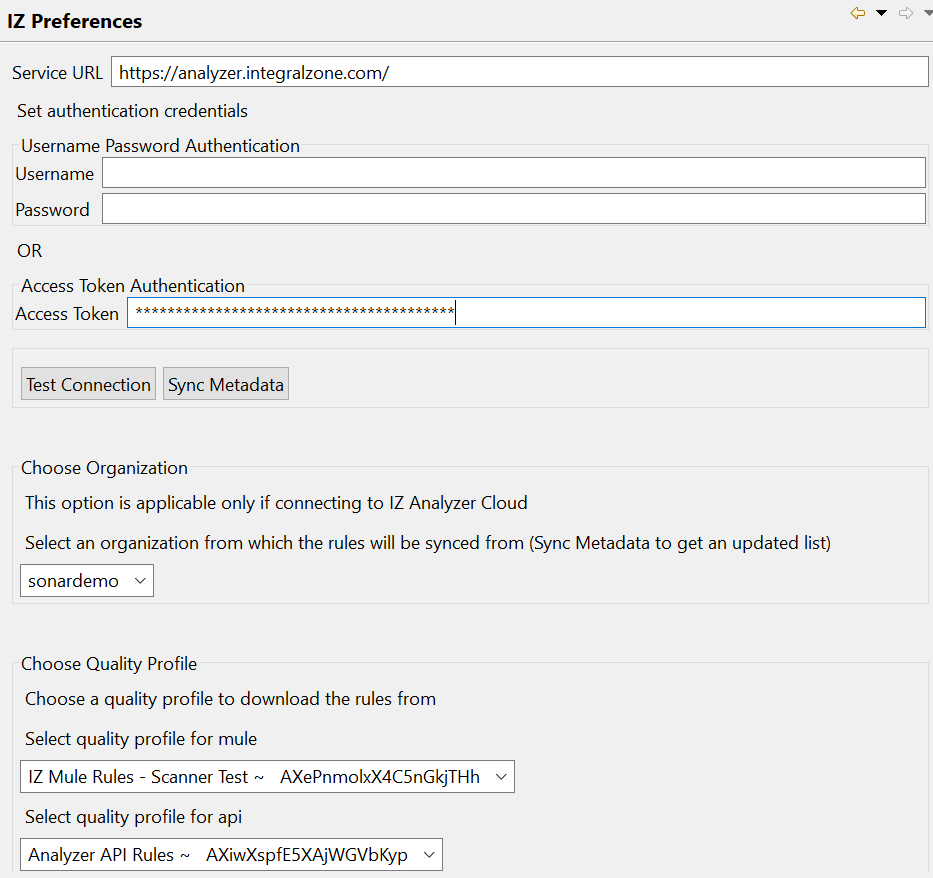
- Navigate to Window → Preferences → IZ Preferences, provide the appropriate Service Url
- Click on Sync Metadata to sync the Organizations and available Quality Profiles
- Select desired API Analyzer Quality profile
- Navigate to Window → Show View → other → IZ Analyzer → select On the Fly Results
- Open the API (RAML or OAS) file to view the results

- More information about scanning projects in Anypoint Studio can be found here.
Scanning using Sonar Scanner
API projects can be scanned using sonar scanner to view the scan results in web dashboard. More details on scanning the project using CLI can be found here.
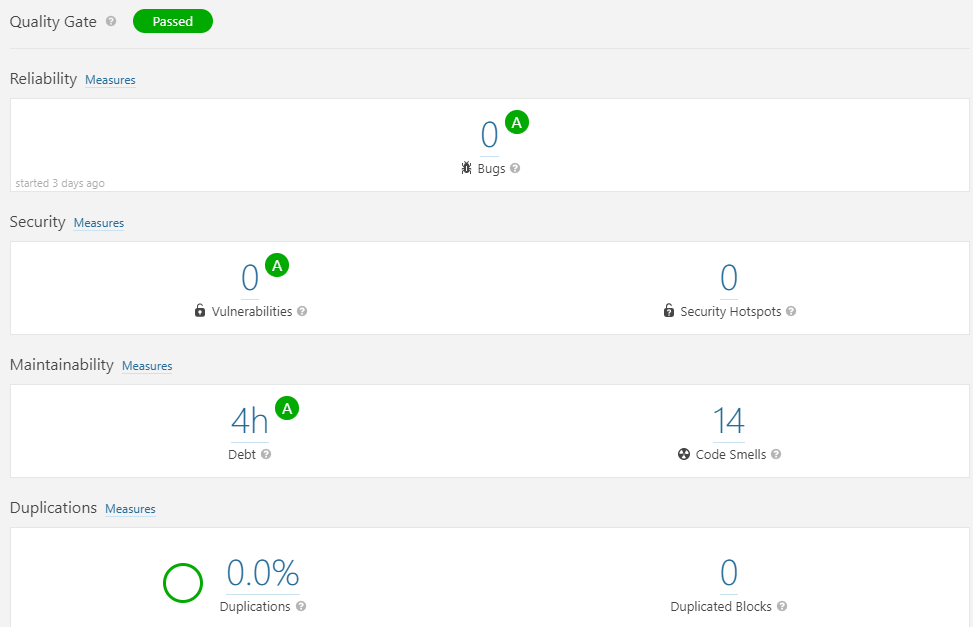
API Analysis dashboard after a successful scan would look similar to –
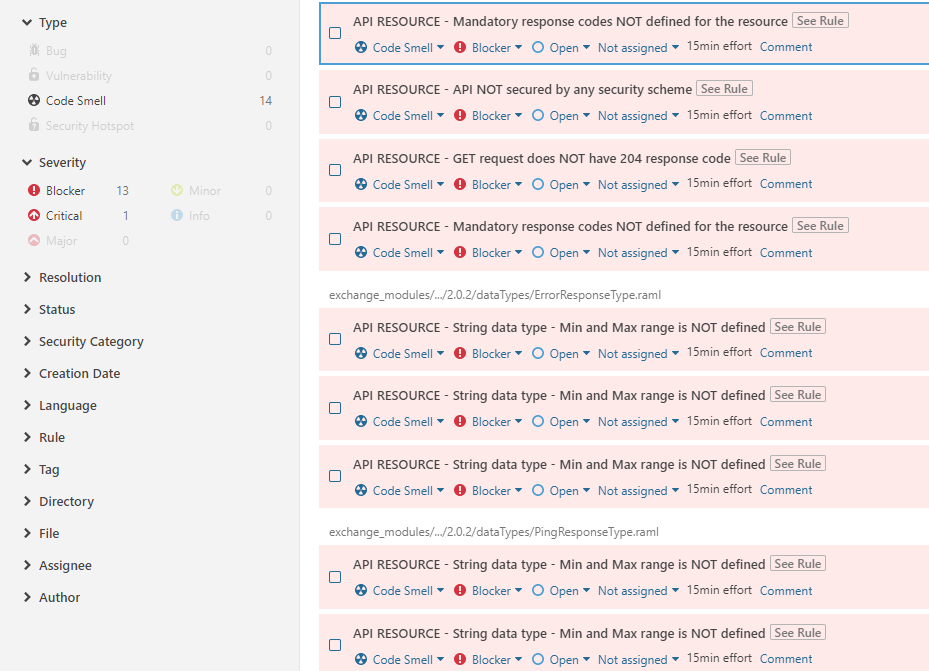
Details of issue displaying the exact file and line numbers –
Choosing between multiple APIs
If a project contains multiple APIs, all the available APIs will be scanned. There might be certain scenarios where we need to scan specific APIs instead of all.
Specific APIs can be included or excluded by using analyzer-apis.json file. Create a file called analyzer-apis.json in the project root directory and specify the required APIs to be scanned.
In the example below, only api_1.raml and api_2.raml will be considered during analysis.
{
  "apis": [
    "relative/path/to/api_1.raml",
    "relative/path/to/api_2.raml"
  ]
}
End Note
Hope you found this article interesting. Do drop us a comment below with your inputs, views, and opinions regarding scanning API projects using IZ Analyzer.
Try API Analyzer for Free
You can try our online free scanner to get a quick report of all quality issues in your API project.
Try Now – https://analyzer.integralzone.com/try
Book Online Demo – https://integralzone.com/book-online-demo/


